MCP
Connect DINQ's capabilities into AI assistants and agent workflows via MCP.
DINQ supports the Model Context Protocol (MCP), so external AI assistants and agent workflows can use DINQ to find people.
With MCP, your agent can search for developers, model builders, researchers, professionals, KOLs, creators and experts across GitHub, Hugging Face, Google Scholar, LinkedIn, X, Xiaohongshu, Instagram and Zhihu. Each result is a profile link with the evidence behind it.
Who this is for
MCP is designed for developers and teams that use agent frameworks or build custom orchestration layers with AI assistants.
Use MCP if you want to:
- Let an AI assistant run DINQ people searches.
- Add candidate and expert discovery to an agent workflow.
- Connect DINQ to MCP-compatible clients.
- Build automated sourcing or market-mapping workflows.
How to connect
- Go to Settings > API keys and create an API key.
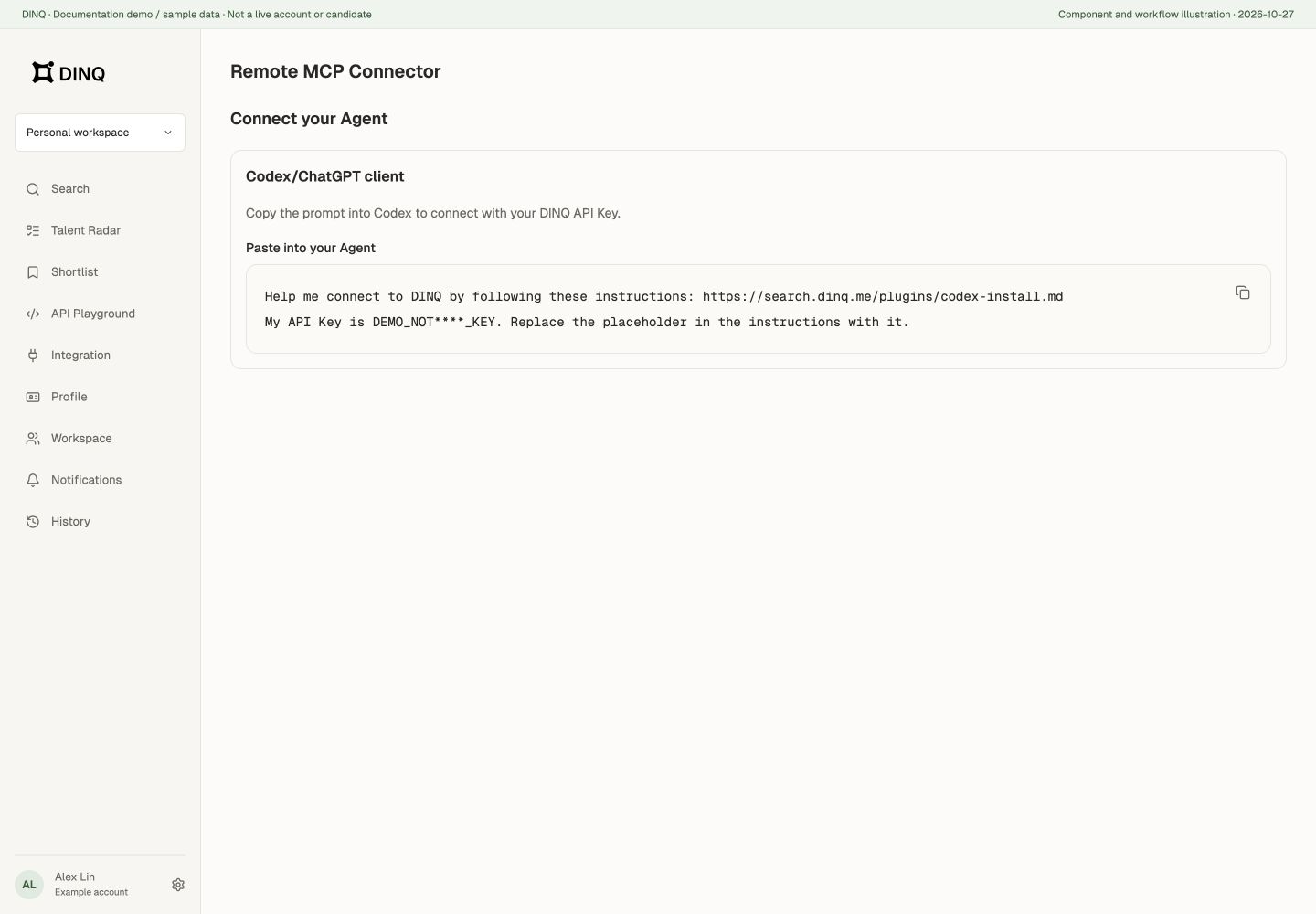
- Open the API Playground, switch to MCP mode, and select the valid API key you intend to use.
- Choose your AI tool and copy the instructions or configuration. Selecting a valid key fills it into the copied text; without one,
{{DINQ_API_KEY}}may remain as a placeholder and cannot authenticate a call. - Paste the configuration into your AI tool and follow its setup instructions. Restart or start a new conversation if that client requires it.
- Call
dinq_capabilitiesto confirm the connection. It is free.
For any other MCP client, add a remote server over Streamable HTTP with these details:
MCP URL:  https://search.dinq.me/mcp
Header:   Authorization: Bearer YOUR_API_KEY
Send the API key only in the Authorization header, never in the URL. Anyone with the key can spend your Credits, so don't share it; if it leaks, disable it in Settings > API keys and create a new one.
Available tools
| Tool name | Finds |
|---|---|
github_find_developers | Developers on GitHub |
huggingface_find_builders | Model and dataset builders on Hugging Face |
scholar_find_researchers | Researchers and scholars on Google Scholar |
linkedin_find_professionals | Professionals on LinkedIn |
x_find_kols | KOLs on X |
xiaohongshu_find_creators, instagram_find_creators | Creators on Xiaohongshu and Instagram |
zhihu_find_experts | Experts on Zhihu |
dinq_capabilities | Shows which sources are available. Free. |
dinq_billing_status | Returns an earlier call's result and charge without charging again. |
Every search tool takes the requirement in plain language and a result limit. When a request spans several platforms, the agent calls each relevant tool. Successful searches use Credits; misses and errors are free.
MCP billing account and partial results
The current MCP connection uses the DINQ personal-account Credits associated with the selected API key, not team workspace Credits. Switching the workspace in the web app does not automatically change this MCP connection to team billing. This differs from API requests carrying X-Workspace-ID.
Charges depend on the platforms and queries actually called, not a fixed price per conversation. Connection checks are free. Failed searches, no results, or content clues without candidate profiles are not charged. A partial response that already contains candidates may still be charged. Check the personal balance before a batch; use dinq_billing_status to review a call's result and charge.
Quick setup with skill files
Some agent platforms can load a skill file that teaches the agent when and how to use DINQ: which tool fits which request, and how to read and deliver results.
To install the skill:
- Open the API Playground and switch to Skill mode.
- Choose your AI tool.
- Copy the instructions and paste them into your AI tool.
The instructions also set up the DINQ MCP connection if it isn't there yet. The skill itself doesn't connect anything: without the MCP connection, the agent has no DINQ tools to call.
Where you can use DINQ MCP
The API Playground currently offers shortcut guides for Codex, Claude Code, and WorkBuddy, plus a generic other-client configuration entry in MCP mode. Other clients can work if they support remote MCP servers over Streamable HTTP with a custom Authorization header. The shortcut list is not an exhaustive compatibility list.