Pricing & Credits
Understand DINQ plans, Credits, and usage.
DINQ uses plans and Credits to manage usage across product features. Your plan determines your monthly Credits, shortlist project limits, DINQ Card limits, auto-update frequency, verification access, and support level.
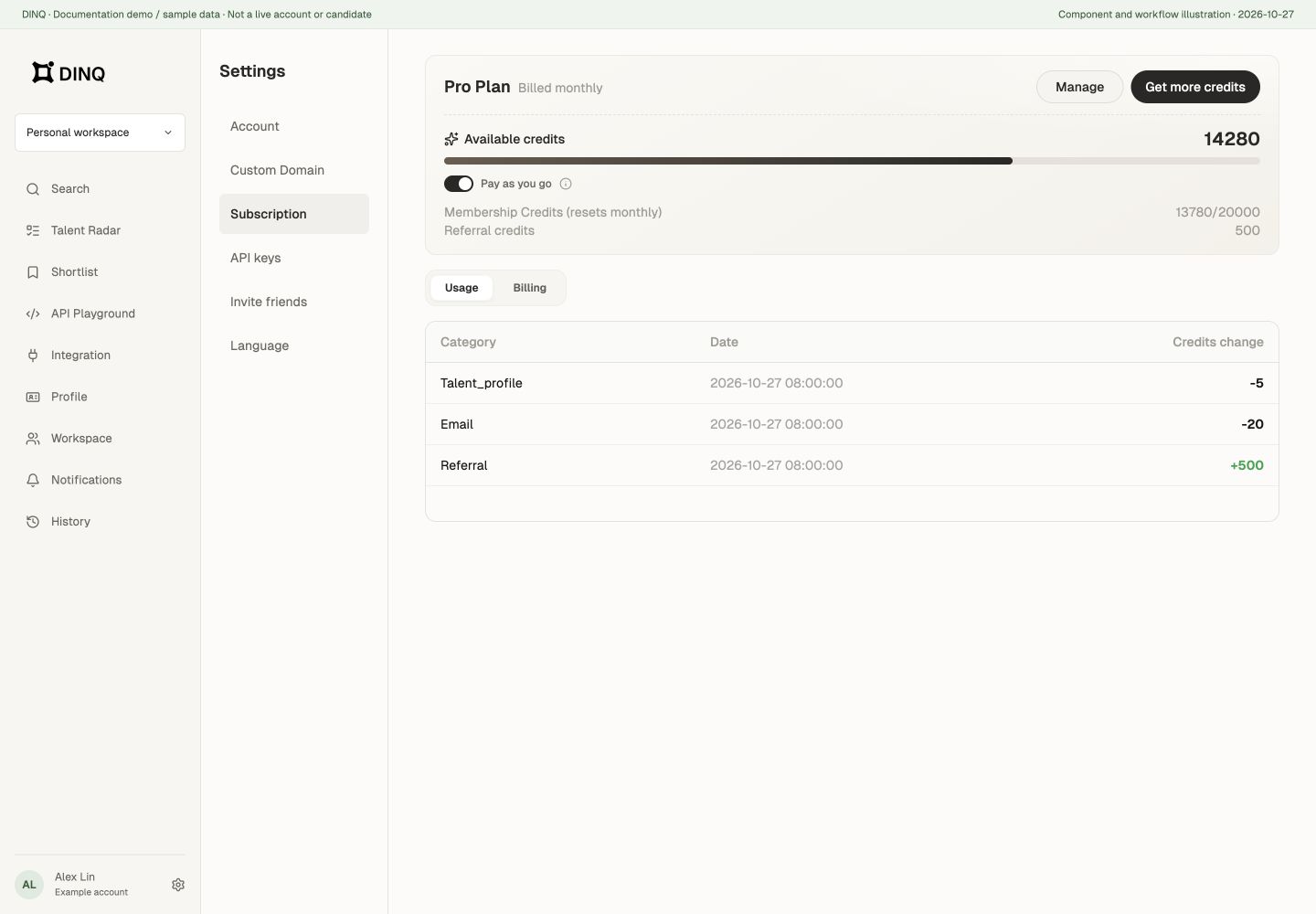
Plan overview
| Plan | Best for | Where to check your allowance |
|---|---|---|
| Free | Initial exploration | Subscription and Credits in your personal space |
| Basic | Individuals and everyday sourcing | Subscription and Credits in your personal space |
| Pro | Higher-frequency search and candidate workflows | Subscription and Credits in your personal space |
| Enterprise | Teams and businesses | Subscription and usage in your team workspace |
Use the product pricing page, checkout, and your subscription page for current prices, monthly or annual discounts, introductory grants, and cycle allowances. Team seats, Credits, and access depend on workspace configuration and contract terms.
How Credits are used
Credits are used mainly for talent search, Talent Radar, and features that require DINQ to search, analyze, or organize candidate information.
- Talent searches: Running searches across public and technical sources consumes Credits.
- Talent Radar: Automated Radar runs consume Credits based on search frequency and candidate volume.
- New candidate profiles: Each successful generation on the search page costs 5 Credits, separately from the search and email lookup.
- Contact information lookups: A successful email lookup costs 20 Credits per candidate, not per email address returned. Lookups that find no email do not consume Credits.
- Insufficient balance: Without an available pay-as-you-go arrangement, add Credits or review your plan. Team users must also check their individual limit and the team's remaining allowance.
Profile reuse and regeneration
For the same user, the search page can reuse a profile generated within seven days when the name, match context, identity hints, and output language are unchanged. Reuse does not charge again. Changing the language or request details may require a new generation.
Regenerate profile bypasses the cache and costs another 5 Credits when successful. Bulk generation shows the candidate count and maximum estimated charge before starting. Unsuccessful generations are not charged as successful ones.
These rules describe the new search-page profile. Shortlist and Talent Radar currently use a different profile panel, so do not assume all new fields or refresh controls are available in every view.
Pay-as-you-go
In your personal space, manage pay-as-you-go under Settings > Subscription. The API Playground usage area also provides a shortcut toggle.
- Set a monthly spending cap and follow the payment-method setup.
- Confirm that pay-as-you-go is enabled. Extra usage may incur charges after included plan Credits run out.
- Check the subscription page for status and pending charges, or change the cap and disable the feature.
- Use Pay now to settle pending charges early. Removing the payment method disables pay-as-you-go.
Requests may still be blocked at the cap, after a payment failure, or when Credits are unavailable. Disabling pay-as-you-go does not cancel charges already incurred.
Team workspaces have separate team and member allowances; a personal pay-as-you-go toggle does not manage them. See Team Workspaces.
Credit types
DINQ uses three Credit types:
- Subscription Credits: Included in your monthly plan allowance. They reset every billing cycle and do not roll over.
- Reward Credits: Granted through referrals, campaigns, compensation, or similar cases. They do not reset monthly.
- Purchased Credits: Additional Credits purchased separately or included by contract. These are useful when you temporarily need more search, outreach, or automation capacity.
DINQ deducts Subscription Credits first, then Reward Credits. Purchased Credit consumption order follows your account and plan rules.
Profile and DINQ Card limits
Different plans affect some Profile capabilities:
- Free includes a limited number of DINQ Cards.
- Basic provides more DINQ Cards and includes verification.
- Pro provides a higher DINQ Card limit, more frequent automatic updates, and early access to new features.
- Enterprise can be customized for team or organization needs.
Custom Domain and verification
Custom Domain edit frequency depends on your plan. Verification is available on Basic and above. Advanced visitor and profile insights may require a higher plan.
Plan changes
When changing plans, check the confirmation screen for charges, effective dates, and billing periods. Do not assume both upgrades and downgrades take effect immediately.
After cancellation, your current plan remains active until the displayed expiry date, then changes to Free. Cancelling a subscription and disabling pay-as-you-go are separate actions; check both.