Search Candidates
Describe who you want to find and start a candidate search.
Search helps you go from a hiring need to a list of matching candidates. Describe who you are looking for in plain English, and DINQ helps clarify the details, optimize your criteria, and search public sources for relevant profiles.
Use Search when you have a specific ideal candidate in mind but do not want to manually search across multiple platforms.
When to use Search
Search is especially useful when you want to:
- Target highly technical niches: Surface specialized talent across AI, ML, infrastructure, cryptography, security, quant, robotics, or advanced research.
- Source by proof of work: Discover candidates based on tangible output, such as open-source contributions, shipped projects, papers, or real-world repositories.
- Bypass rigid Boolean filters: Describe complex hiring criteria in plain English instead of filling out many filter fields.
- Iterate on a rough idea: Turn an early hiring thought into a refined search prompt through conversation.
- Reverse-engineer a JD: Upload or paste a job description so DINQ can extract requirements and search for matching profiles.
Run your first search
Go to Search and describe your hiring need in natural language. You do not need a polished job description. Write the same way you would brief a teammate.
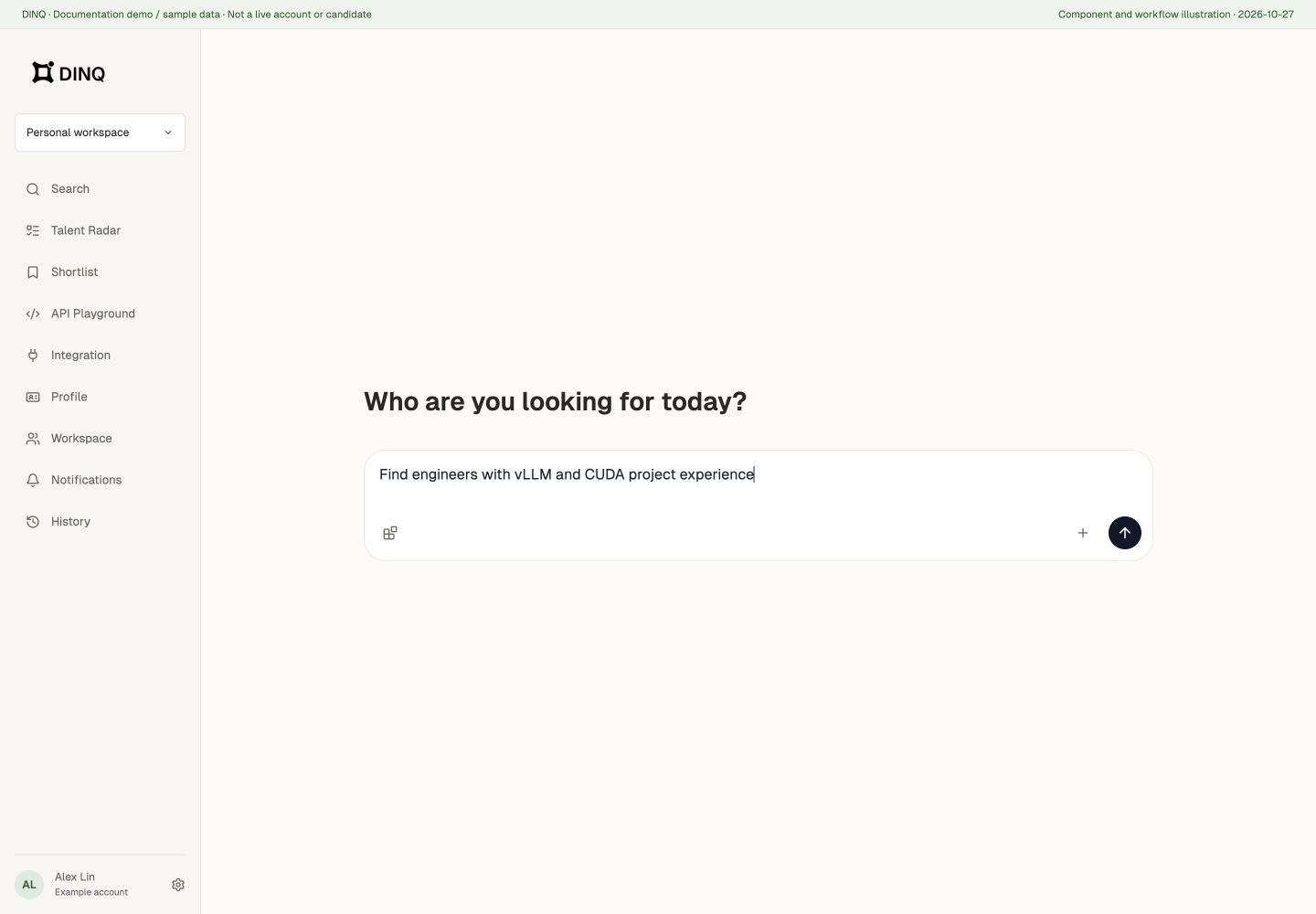
Example:
I’m looking for an engineer who has worked on LLM inference optimization, ideally with CUDA, TensorRT, or vLLM experience. Open-source work is a plus. Location is flexible, with a preference for North America or remote.
You can also start simple:
Find me 20 engineers working on AI agent infrastructure, ideally with open-source contributions.
The more context you give, the better DINQ can search. Useful details include:
- Role or direction: AI researcher, ML engineer, infrastructure engineer, quant researcher.
- Key skills: LLMs, CUDA, React, TypeScript, PyTorch, robotics.
- Experience level: Senior, founding engineer, team lead, startup background.
- Location: Bay Area, New York, London, Singapore, remote.
- Hidden criteria: Built from zero to one, strong open-source footprint, highly cited research.
Confirm and start searching
Before launching, DINQ prepares an editable Search Plan with your search objective and criteria. Add, remove, or edit criteria and set each one to Must, Prefer, or Exclude.
If important details are missing, the plan shows optional questions together. Choose suitable options or edit the criteria directly; you do not need to wait for one question at a time. Review the plan, then click Start Search.
The search input offers currently available models and Auto. Choices depend on the service and your account access, rather than a fixed model list. If search is temporarily unavailable, check your sign-in and page state, then try again later. Watching an example replay explains the workflow but does not execute a live search.
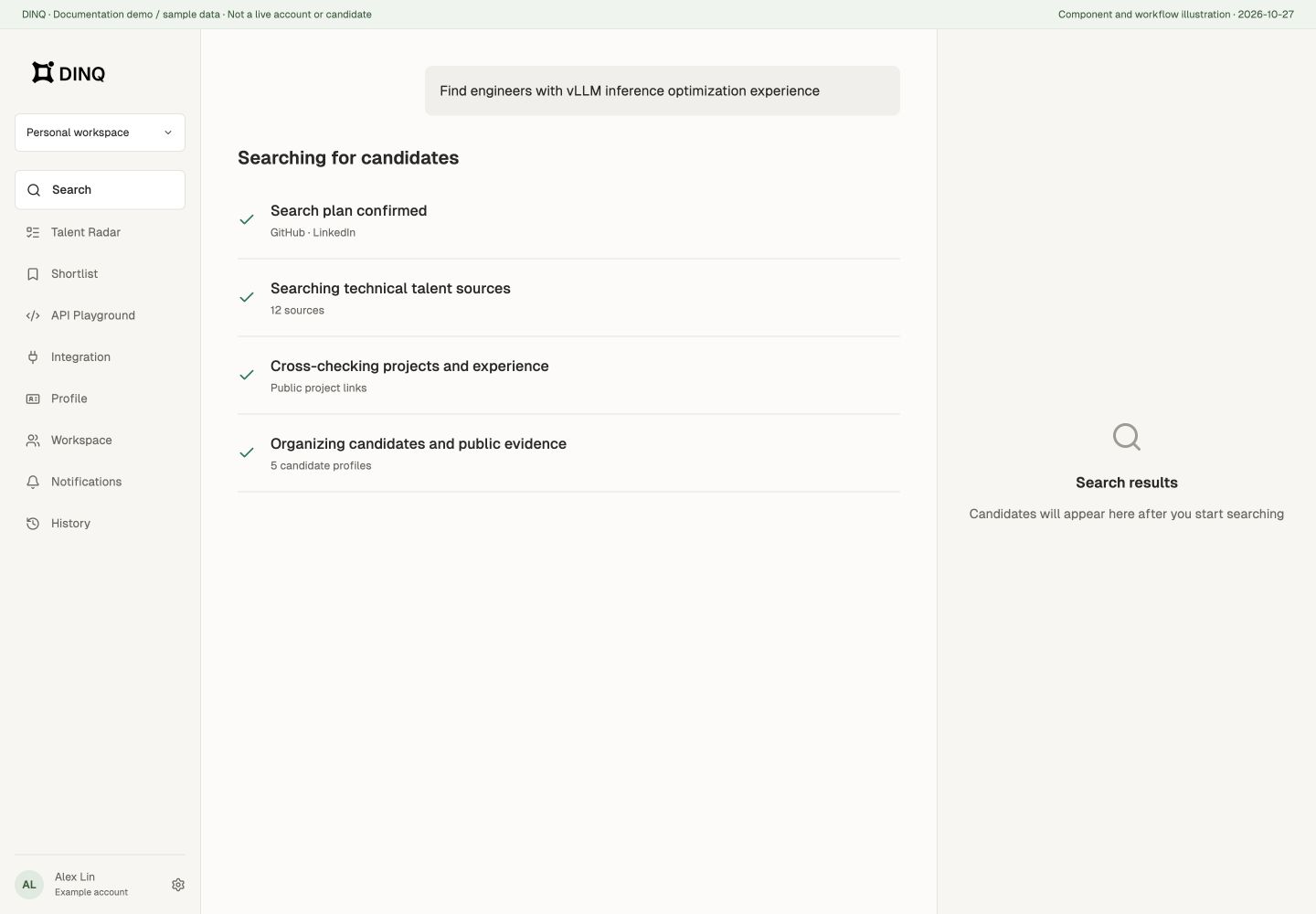
Once you confirm, DINQ begins the search and shows its execution progress in real time. Because DINQ connects public signals from professional profiles, GitHub repositories, papers, personal sites, and public projects, the process may take a few moments.
Save candidates
When you find a promising candidate, save them to a shortlist. Shortlists are useful for:
- Building role-specific talent pools.
- Organizing candidates from a search session.
- Sharing profiles with hiring managers.
- Marking candidates who need further verification or outreach.
Start with a person or public link
Search is not limited to job descriptions. Provide a name and identity clues to look up one known person, or supply a GitHub repository, Hugging Face model, paper, or lab URL and ask for its maintainers, authors, or members.
Explain the link's role: finding a repository's contributors is different from using that project as context to find people with similar experience. For common names, add a company, school, or profile URL to reduce identity mistakes.
Use a search skill
The input's Skills menu also offers Find Advisors, Who Cites Me, and Talent Analysis. Their inputs and result formats differ from the standard recruiting-search flow.