Manage Account
Manage sign-in, verification, referrals, Custom Domain, subscription, and API keys.
Open Settings from the account menu at the bottom left, or from My on mobile. Sections cover profile information, account, verification, referrals, Custom Domain, subscription, API keys, and language.
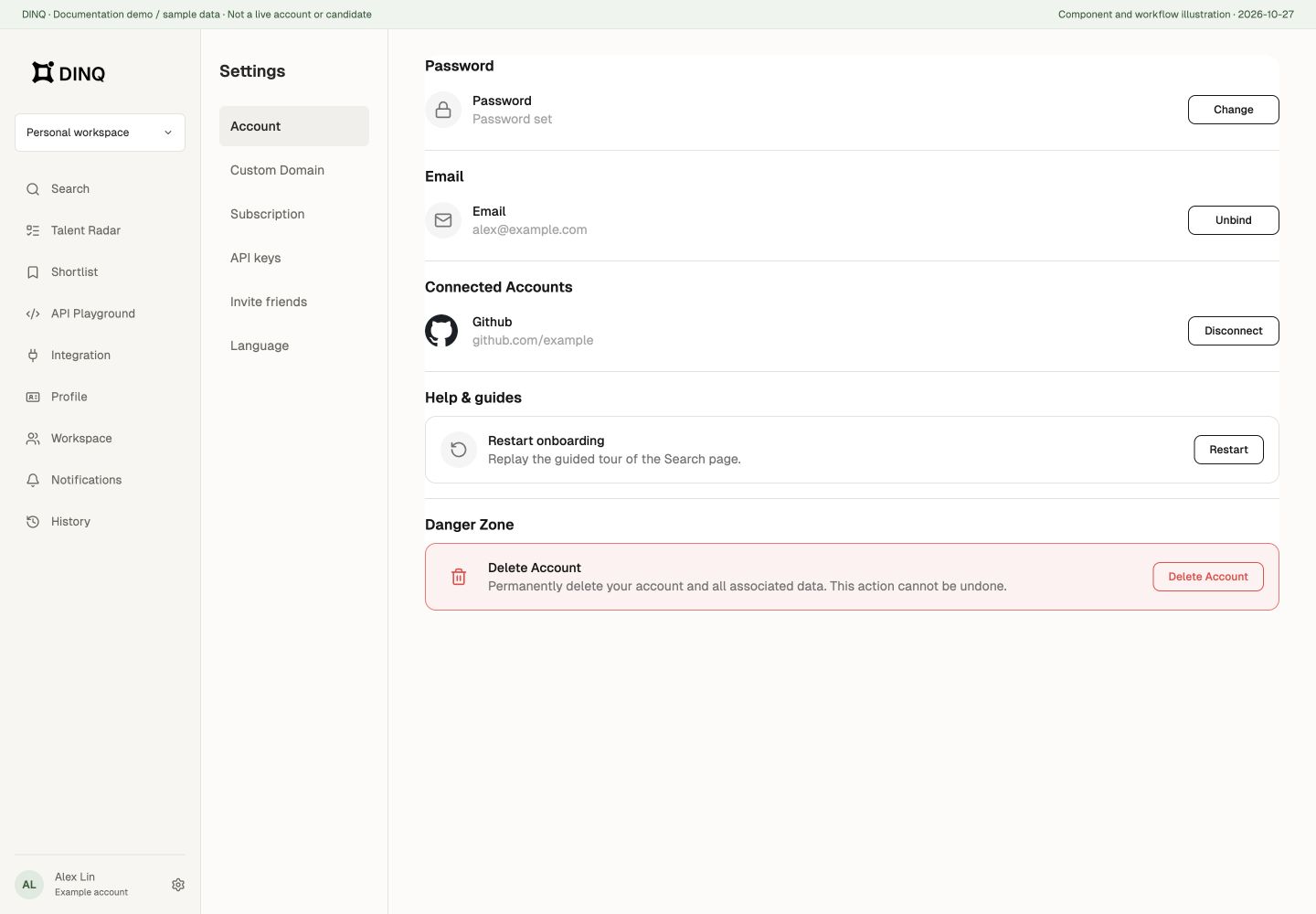
Sign-in methods and account security
Under Account, set or change your password, bind or unbind email, and manage Google and GitHub sign-in connections. A sign-in connection is different from a public social link on your Profile.
Before disconnecting a method, make sure another usable sign-in method remains. If disconnecting would leave only an email without a password, set a password first. WeChat-created accounts can bind a real email here.
To close your account, open the account-deletion flow, read its effects, and complete the required confirmations. Signing out does not delete the account, and leaving a workspace does not delete your DINQ account.
Verification
Verify your education and career background, and link your LinkedIn and X accounts to build credibility on DINQ.
You can verify:
- Education and career: Authenticate your background and work history.
- Social accounts: Link your LinkedIn and X profiles.
Invite friends
Share your referral link or code. When a friend activates through the invitation, both of you receive 500 Credits. Opening the link alone does not mean the reward has been granted.
From the invite dashboard, you can:
- Copy your unique invite link.
- Track successful referrals.
- View your accumulated rewards and credit bonuses.
- Check remaining rewarded-invitation slots. Further sharing does not guarantee additional rewards after those slots run out.
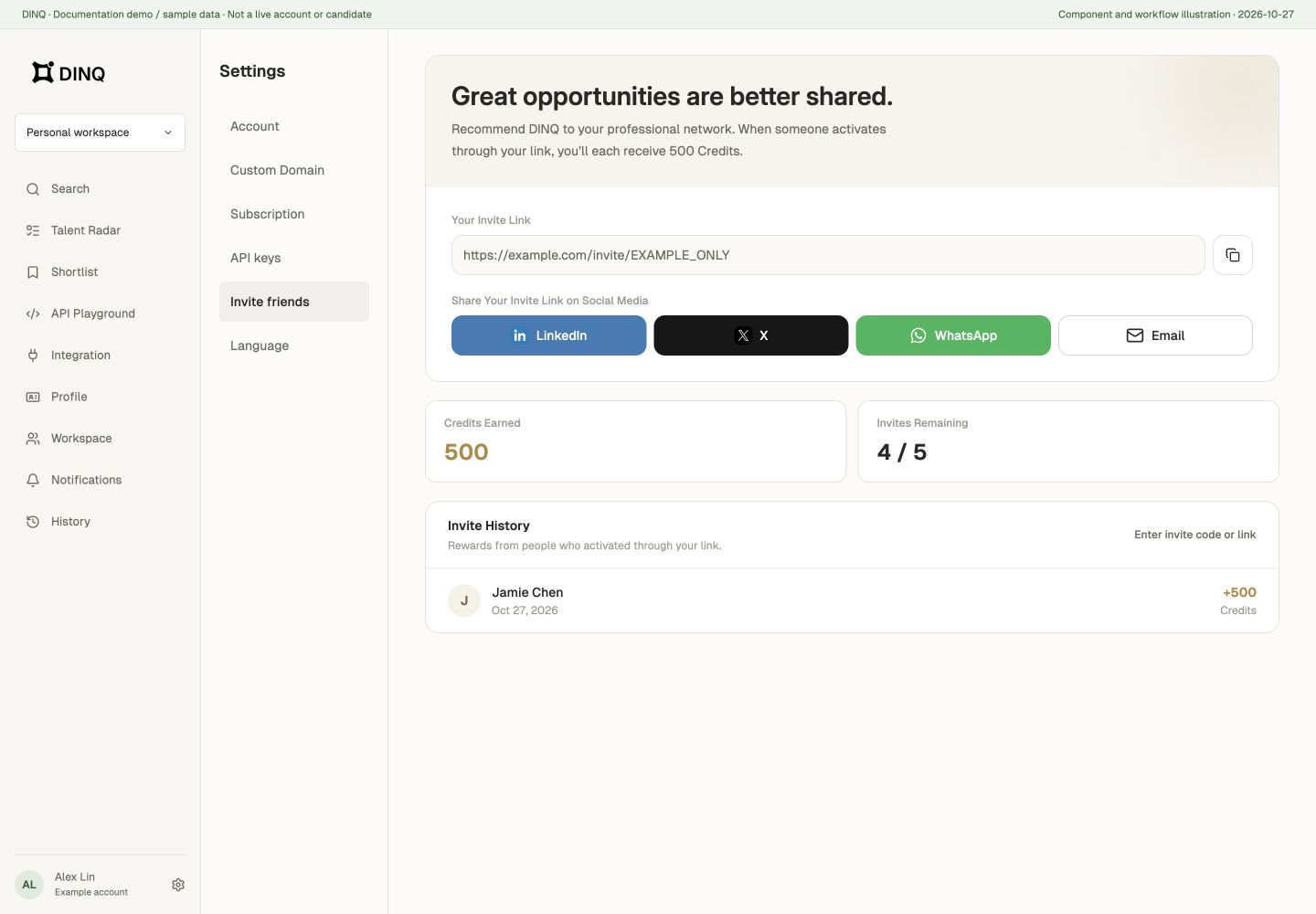
If activation is required first, follow the prompt to redeem an invitation code or link. The referral panel shows available slots and credited rewards. Referral rewards and invitations to join a team workspace are separate flows.
Claim Custom Domain
Set up or update your custom DINQ link, such as dinq.me/yourname, and generate a QR code for easy sharing.
Your public profile URL is used for your Profile and custom QR code.
Subscription
View and manage your current plan, credit balance, usage history, and billing records.
From the subscription section, you can:
- Upgrade or downgrade your subscription tier.
- Update your payment method.
- Monitor available credits and usage history.
- Access and download past invoices.
For plan and credit details, see Pricing & Credits.
API keys
Create and manage secure API keys to connect DINQ with external tools, applications, and development workflows.
Keep your API keys confidential. They grant access to your account data and should not be shared publicly.
Personal and team subscriptions
Check whether you have selected your personal space or a team workspace. Their subscription and usage views differ; a personal balance does not guarantee a team request can run. See Pricing & Credits and Team Workspaces.