Evaluate Profiles
Use public work signals to evaluate candidate profiles.
A DINQ candidate profile brings public information from multiple sources into one structured view. It is designed to help you understand whether a candidate is relevant, credible, and worth contacting.
For openness to opportunities, L1–L4 seniority, and personalized dynamic analysis, see Enrich. This page focuses on evaluating candidates against role requirements and public evidence.
Use profile details to answer:
- Does this candidate's real work align with the role?
- Is their public history supported by tangible evidence?
- Do their projects, papers, or contributions match the technical requirements?
- What specific context could help you write better outreach?
Enriched profiles
In the results table's Profile column, choose Generate profile, then View profile when ready. You can also open the profile panel from a candidate entry. To process several candidates, select them and use Generate profiles in the toolbar.
Generation shows progress through identity resolution, a basic profile, career-signal assessment, additional sources, and refinement. The table's percentage and filling progress bar estimate generation progress, not candidate match quality or a guaranteed time remaining. Wait for the completed status. Switching candidates does not stop an already-started generation; check its completion status and your balance.
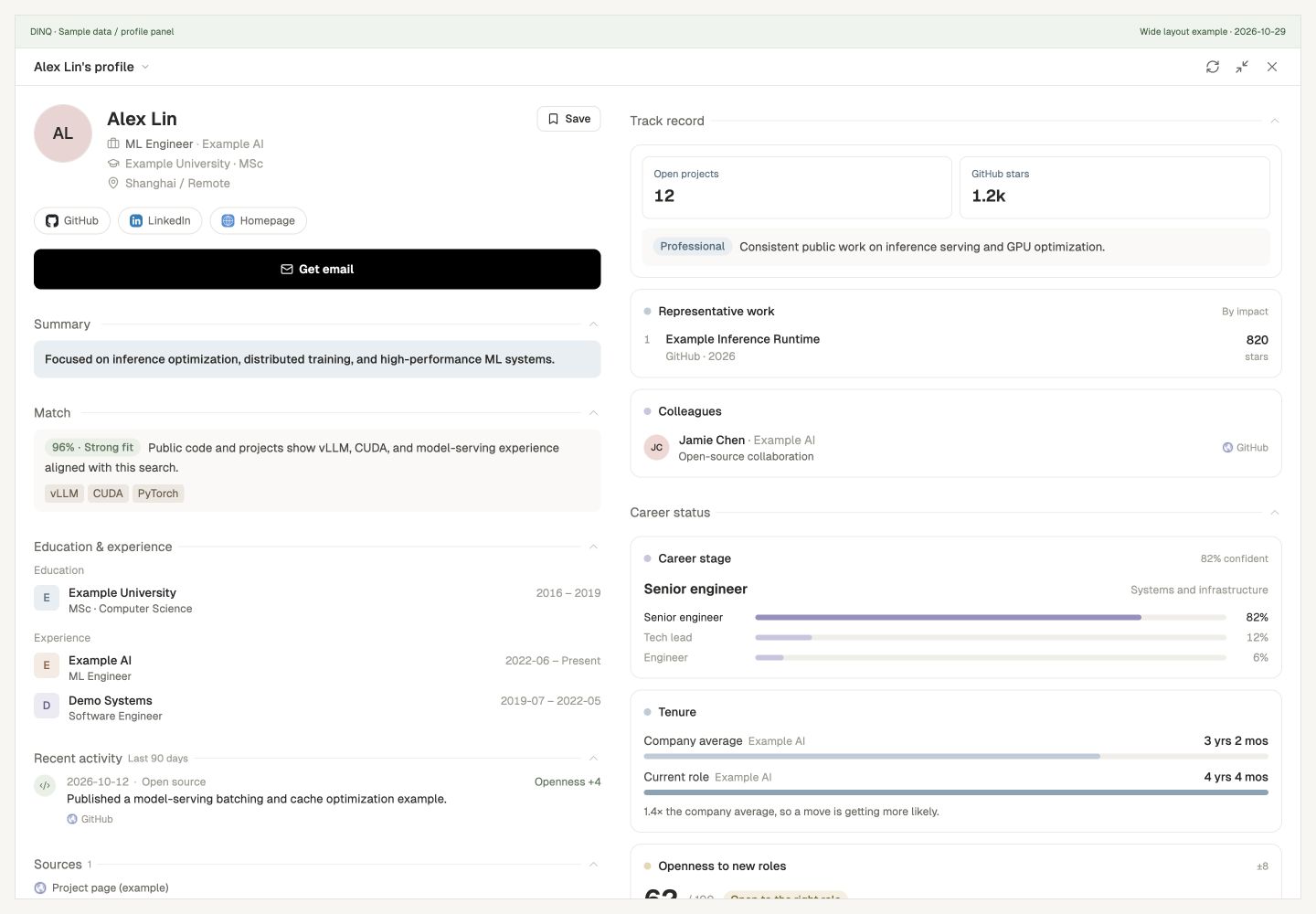
Depending on available evidence, the new profile shows:
- Match: Score, verdict, reasons, and tags for the current request.
- Education and experience: Public academic and work background.
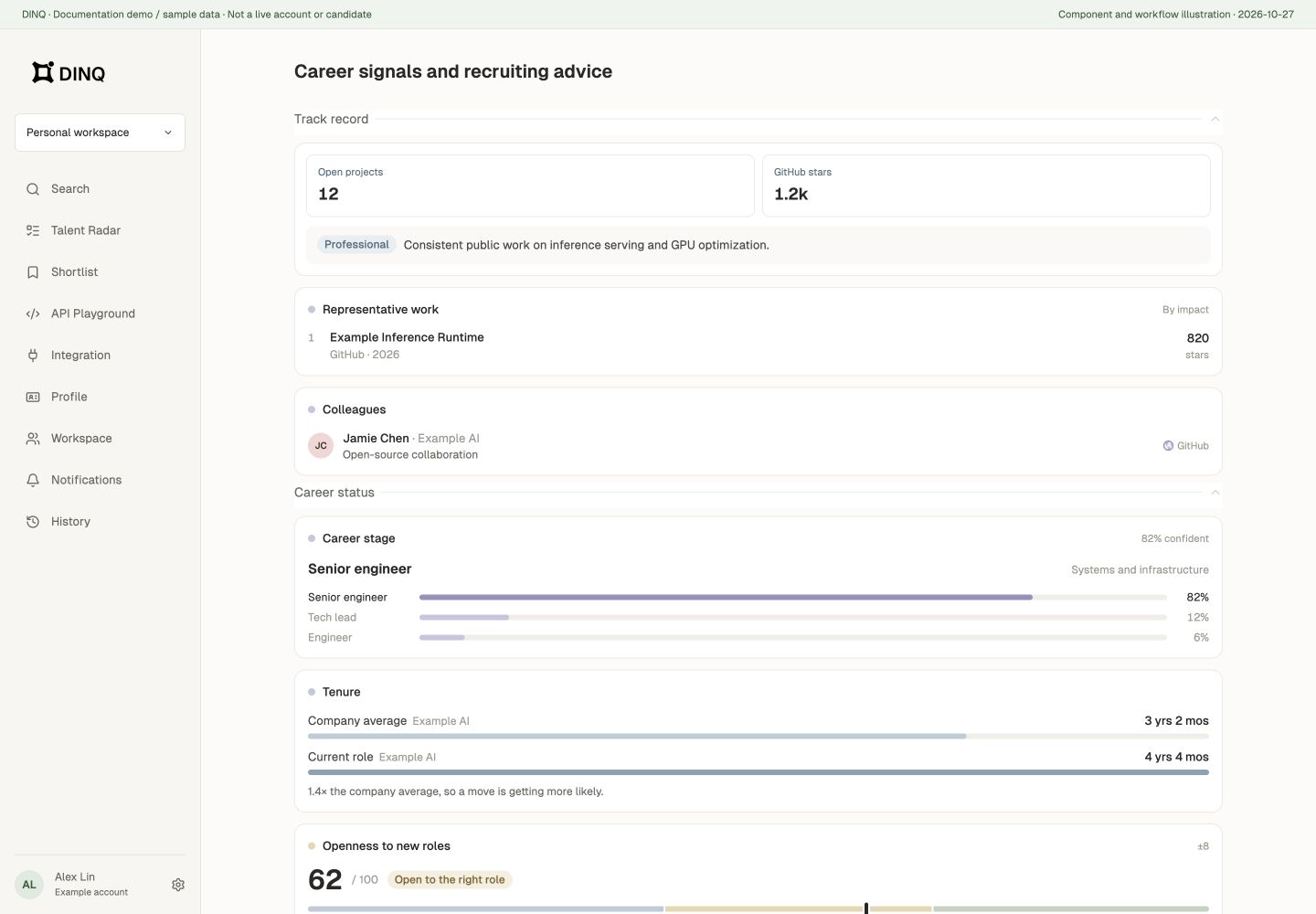
- Track record: Metrics, representative work, collaborators, or colleagues.
- Career status: Career stage, tenure, openness to new roles, and available recruiting advice.
- Recent activity and sources: Public activity from the past 90 days, source links, generation time, and coverage.
Missing public information may leave a section empty, and a failed generation may retain partial results. Not finding a fact does not prove the person lacks that experience. Openness and recruiting advice are model estimates, not the candidate's stated willingness to change jobs.
DINQ profiles are designed for review, not automated decision-making. Always use the source links and your own hiring criteria before making decisions.
Generation charges and reuse
Each successful new search-page profile costs 5 Credits. The same user can reuse a seven-day cached profile when the name, match context, identity hints, and language match. Regenerate profile bypasses that cache and charges again if successful. Email lookup is a separate charge, not included in those 5 Credits.
Search, Shortlist, and Talent Radar do not currently all use the same panel. The new fields and bulk-generation steps here describe the search page; other views depend on their actual interface.
Understanding Match Scores
Match Scores help indicate how closely a candidate appears to match your search. They are generated from multiple public signals rather than simple keyword matching alone.
Use Match Scores as a starting point. A high score can help you prioritize review, but it should not replace your own evaluation of the candidate's work, experience, and fit.
What to review
When reviewing a profile, look across several areas:
- GitHub: Primary tech stack, project quality, contribution patterns, repository activity, stars, downstream usage, and open-source impact.
- Papers and research: Research direction, paper quality, citation trends, h-index, conference placements, and whether the work is theoretical or applied.
- LinkedIn and work history: Companies, roles, tenure, organization scale, career trajectory, and consistency with public technical output.
- Projects and work: Live products, demos, personal websites, standalone open-source projects, and other public proof of work.
- Contact and outreach context: Available contact information and specific hooks you can reference in a message.
Cross-verification tests
Avoid relying on a single data point or job title. Cross-check claims against public evidence.
- Infrastructure test: If a candidate appears to have LLM infrastructure experience, check whether their GitHub repositories or contributions show relevant code, systems, or framework usage.
- Research test: If they appear to be an AI researcher, review whether their papers, citation metrics, co-author networks, and conference venues support that expertise.
- Seniority test: If they look senior on paper, look for evidence of project ownership, architecture decisions, leadership, or complex collaboration.
- Startup builder test: If you need a zero-to-one builder, look for signs that they have launched projects, products, repositories, or technical systems from scratch.
Talent Analysis
Talent Analysis turns public profile links into structured insights across engineering, research, and professional background.
You can use Talent Analysis to:
- Review an engineer's or researcher's public technical capability before an internal discussion.
- Find specific project, code, or paper details to reference in outreach.
- Compare cross-platform profiles in a more consistent format.
- Give hiring teams clearer evidence for candidate review.
Talent Analysis relies on publicly available records. The depth and accuracy of generated insights depend on the availability and freshness of the source data.
For entry points and the three platform workflows, see Talent Analysis.